Today the K1 students planted tomato seeds to learn more about how plants grow. They will keep a diary of their plants. I am looking into how the kids can make a joint photo diary using Keynote and Photo booth to document the process.

Monday, 12 October 2009


Digestion Investigation
Today in Grade 5 the students made an inquiry into the Digestive system. They watched the Magic Schoolbus video to learn more about the digestion process. The kids then transferred the film to their laptops and imported it into iMovie. The students were asked to take one minute of the film and to add their own explanation about it by using a Photo Booth capture and screen in screen editing.
This project will be continued in class tomorrow. The students must select their footage and capture their own explanations using Photo Booth for homework tonight.

This project will be continued in class tomorrow. The students must select their footage and capture their own explanations using Photo Booth for homework tonight.

Friday, 9 October 2009
Padang Earthquake Donations
The Grade 5 students sorted the donated clothing into different categories this morning. The older students continued their work this afternoon. This film shows the students working together will members of the SWA community. SWA will send all the donations tomorrow to Padang. Clothing, food, medicine, water, mats, blankets and toiletries are being packaged today.
Thursday, 8 October 2009
Grade 10 Music Video Instructions

How to Make a Storyboard for a Music Video
The storyboard is a visual draft of a story; in this case, the story is set to music. The music dictates the visuals used in the video, thereby telling the story; or else the music supports the visuals, which means the story is already told and the music supplements the story. Either way, the storyboard provides a sketch of the flow of the audio and video. Storyboards are not set in stone and can be revised as needed. Here are a few guidelines to get you on your way to creating a storyboard for a music video.
Step 1 - Target for this lesson
Get the lyrics of the song to understand what is being said and copy them to Word.

Step 2 - Target for this lesson
Listen to the music to determine the tempo, beats and rhythm. Make notes on your Word doc.
Step 3
Get a copy of the blank storyboard form.
Step 4
Listen to the music again to document time codes, in minutes and seconds, for changes in the music, changes in rhythm and/or the playing of minor instruments.
Step 5
Sketch a scene on the storyboard according to a change in the music.
Step 6
Review the storyboard with the music to ensure the visuals and music relay the intended message.
Step 7
Draw arrows from one scene to the next and write the type of transition you will use between each scene.
Step 8
Present the storyboard to a third party for feedback
Grade 5 making a Keynote about the Padang Earthquake
 Today the Grade 5 students made a collaborative presentation. The content was taked from different online sources. The students worked together on this presentation for our school assembly today to raise awareness about the recent earthquake in Padang, West Sumatra. SWA will collect money and goods that are needed for the victims of this terrible disaster.
Wednesday, 7 October 2009
Engaging iPhone Apps for Education
I have read many lists of iPhone apps for learning but I have found them to be lacking in interest. I would like to try to make my own list here that includes apps that are not only educational but fun and engaging as well.

1. Spore
This is a must for learning about the Theory of Evolution. There are a few differences between the game and the actual theory which can be explained by the teacher. These small differences are far outweighed by the engaging game play based on survival of the fittest and competition amongst individuals. It's amazing to play on the iPhone or iPod due to being able to tilt to move around the environment. Unfortunately only first stage is available but even that is well worth the purchase.
How I would use it:
Get the students to play it and screen capture the scenes at different times in the game to be used to make a multimedia presentation reflection to the class. Students should compare experiences and discuss their game experiences.
2. Good Reader
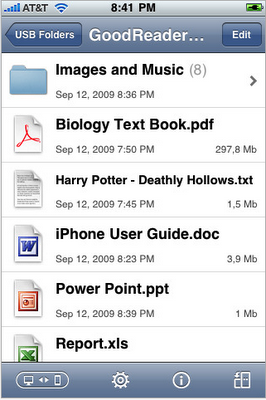
This may seem like a plain little app of limited attraction but there is more here than meets the eye. Why is it on this list? Good Reader enables the iPhone to transfer any PDF or TXT file from a computer. It can also read .doc, .ppt and .xls. HTML and Safari archives and iWork '09/'08.
How I would use it:
Start a eBook club at school. Students can publish their work via iPhones or iPod Touches. Transfer is simple via USB. This is even better than Stanza as the format of the book stays the same and this app can cope with text with pictures.


3. iWrite Words
This is a lovely app for Kindergarten students learning to write the alphabet. It promotes proper letter formation and direction. The letters can be played back for the student to see their writing animated.
How I would use this:
A Kindergarten class could use this one on a regular basis to consolidate the letters that are currently being learned.

4. PreSchool Playground
This game is great for young learners. There are 6 different areas of learning such as letters, numbers, Abc Song, Find and Capture the Animal, Tap the Animal and Photo Safari. It's great for ESL Students as clues are spoken and shown in Level 1 and Level 2 is spoken clues only.
How I would use this:
Excellent for a centre activity for Kindergarten. Students can share their Photo Safari pictures with their friends during Circle time.

5. Bumblebee Touch Book
Follow the animated story as the little bee flies through different scenes searching for flowers and bee hives. Students learn to tap on key words and count the bees and flowers in the story. There is also a video to watch inside the app.
How I would use this:
This would be an excellent starter story activity. The students after the story could make their own bees and flowers and re-enact their own Bumblebee stories in the classroom.

6. The Boy Who Cried Wolf
This is an animated talking book of the famous fable. Added features are that the characters make noises when tapped. The nice part about this app is that the story is read by a child.
How I would use this:
Again a lovely story that could be used to launch many other follow up activities.
7. Feed Me
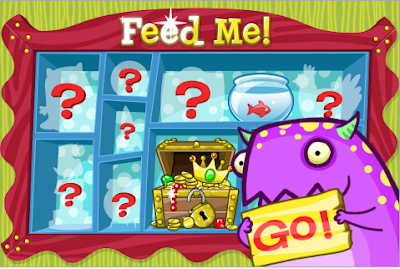
This app features a little purple monster that speaks in Mandarin Chinese. There are a series of activities that require students to feed the monster what he asks them for. It is so nice to see an app for Chinese that is not just a talking translator. BTW this app comes in many other languages as well.
How I would use this:
This is a great app for getting kids excited about learning simple phrases in Chinese. It could be used in pairs or individually. Students could then talk about what they had done and make simple comics with the new words learned.
8. Trace
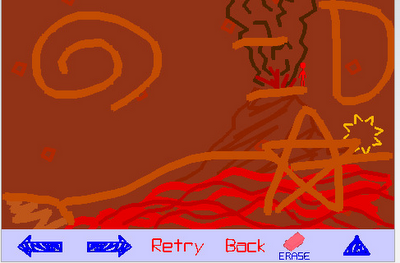
Trace is an amazing app. Students can find their way through virtual environments by drawing objects to help get the person to the target. There are 120 levels of game play.
How I would use this:
This is great for students learning about strategy and problem solving. I would use it in small groups to encourage the students to talk about their strategies to get the man to his destination.
9. Beatmaker
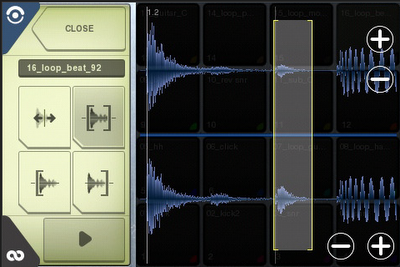
This is a great app for making music. It's a little more expensive than some apps but well worth the money. This one is for making music to be used in presentations, as sound tracks or for performance.
How I would use this:
Find a film clip that portrays an emotion and then get the students to compose music to match the scene.

10. Peeps - one for the teacher :-)
Peeps is a visual address book. What is this app doing on this list? This app is for teachers! If you are a specialist teacher and teach a lot of students this app is a must. Just a tap and you can see a photo of every student you teach with all the important contact information. Rotate it and it works in coverflow.
What I would use it for:
I would put all my classes into this app so that I have their photos, contact details and important information always at hand.

1. Spore
This is a must for learning about the Theory of Evolution. There are a few differences between the game and the actual theory which can be explained by the teacher. These small differences are far outweighed by the engaging game play based on survival of the fittest and competition amongst individuals. It's amazing to play on the iPhone or iPod due to being able to tilt to move around the environment. Unfortunately only first stage is available but even that is well worth the purchase.
How I would use it:
Get the students to play it and screen capture the scenes at different times in the game to be used to make a multimedia presentation reflection to the class. Students should compare experiences and discuss their game experiences.

2. Good Reader
This may seem like a plain little app of limited attraction but there is more here than meets the eye. Why is it on this list? Good Reader enables the iPhone to transfer any PDF or TXT file from a computer. It can also read .doc, .ppt and .xls. HTML and Safari archives and iWork '09/'08.
How I would use it:
Start a eBook club at school. Students can publish their work via iPhones or iPod Touches. Transfer is simple via USB. This is even better than Stanza as the format of the book stays the same and this app can cope with text with pictures.


3. iWrite Words
This is a lovely app for Kindergarten students learning to write the alphabet. It promotes proper letter formation and direction. The letters can be played back for the student to see their writing animated.
How I would use this:
A Kindergarten class could use this one on a regular basis to consolidate the letters that are currently being learned.

4. PreSchool Playground
This game is great for young learners. There are 6 different areas of learning such as letters, numbers, Abc Song, Find and Capture the Animal, Tap the Animal and Photo Safari. It's great for ESL Students as clues are spoken and shown in Level 1 and Level 2 is spoken clues only.
How I would use this:
Excellent for a centre activity for Kindergarten. Students can share their Photo Safari pictures with their friends during Circle time.

5. Bumblebee Touch Book
Follow the animated story as the little bee flies through different scenes searching for flowers and bee hives. Students learn to tap on key words and count the bees and flowers in the story. There is also a video to watch inside the app.
How I would use this:
This would be an excellent starter story activity. The students after the story could make their own bees and flowers and re-enact their own Bumblebee stories in the classroom.

6. The Boy Who Cried Wolf
This is an animated talking book of the famous fable. Added features are that the characters make noises when tapped. The nice part about this app is that the story is read by a child.
How I would use this:
Again a lovely story that could be used to launch many other follow up activities.

7. Feed Me
This app features a little purple monster that speaks in Mandarin Chinese. There are a series of activities that require students to feed the monster what he asks them for. It is so nice to see an app for Chinese that is not just a talking translator. BTW this app comes in many other languages as well.
How I would use this:
This is a great app for getting kids excited about learning simple phrases in Chinese. It could be used in pairs or individually. Students could then talk about what they had done and make simple comics with the new words learned.

8. Trace
Trace is an amazing app. Students can find their way through virtual environments by drawing objects to help get the person to the target. There are 120 levels of game play.
How I would use this:
This is great for students learning about strategy and problem solving. I would use it in small groups to encourage the students to talk about their strategies to get the man to his destination.

9. Beatmaker
This is a great app for making music. It's a little more expensive than some apps but well worth the money. This one is for making music to be used in presentations, as sound tracks or for performance.
How I would use this:
Find a film clip that portrays an emotion and then get the students to compose music to match the scene.

10. Peeps - one for the teacher :-)
Peeps is a visual address book. What is this app doing on this list? This app is for teachers! If you are a specialist teacher and teach a lot of students this app is a must. Just a tap and you can see a photo of every student you teach with all the important contact information. Rotate it and it works in coverflow.
What I would use it for:
I would put all my classes into this app so that I have their photos, contact details and important information always at hand.
Grade 2 - Kidspiration


Grade 1 using the laptops from the cart
 Here is Grade 1 in action. They are making food pictures using Kid Pix. Look at how engaged these kids are!

John's Portfolio
My youngest child is in Pre-K this year at SWA.
Here is a virtual copy of his portfolio that he shared at the recent 3 Way Conference.
Here is a virtual copy of his portfolio that he shared at the recent 3 Way Conference.
Subscribe to:
Posts (Atom)