Tuesday, 2 October 2012

Why I Gave Back the MacBooks and Asked for iPads

Yes - I gave back the MacBooks! Why? I have always been interested in the 'What if?'. When I first began to use iPads in classrooms (just after they had been released), I always wondered what it would be like to use iPads in a 1:1 environment instead of MacBooks.

I had only ever used iPads as an extra tool not as the 'go to' tool. I had always run back to using the MacBooks because that was how I knew how to do things. I wondered - what would it be like to just use iPads only?

I got the chance to do this for a couple months about 2 years ago. I did a small 1:1 program with K2 students. At that time I was the Technology Coach and only worked in that classroom once a week. The program ran for only 3 months and just as we were getting into it, the school year ended.

This year I am back in the classroom full time as the homeroom teacher. I felt that this was my chance to really put the iPads through their paces and see what could be done.

Many of my colleagues were skeptical - many doubted that I could make it work ...

I am writing this after about 3 weeks of using iPads in my class. Yes, there are things that work and things that don't work. There is good and bad. So many teachers expect technology to be able to 'do it all'. I'm not one of those people. I have no problem accepting that there are things that I cannot do.

The difference here is there are so many MORE things that I can do BETTER with iPads.

#1 Differentiation

Ok, I have a typical class. There are the high achievers, the middle and the strugglers. iPads can help me differentiate so well. It's easy to put different apps on different machines to cater to the learner.

#2 Instant-ness

Ok, maybe this is not really a word, but the iPads work a little like using instant noodles - or IndoMie as we call it in Indonesia. It looks up the word, it speaks the word all in the same screen just by a simple tap. In most apps you can take photos right inside the app. I particularly like the WP Blog app and being able to photograph and post 'on the fly'. Oh - and if you want to undo your typing - just shake the iPad.

#3 No Multi-tasking

Yes, our students love to multi-task but that can compromise their concentration on the task at hand. On an iPad, you can only really do one thing at a time. This is a good thing for younger learners.

#5 Apps

The range of apps are fantastic! I can customize the learning as needed with apps that are right on target. Many apps that I use are even free ones. On a MacBook I am limited to the image put on by school. That image generally doesn't change for the whole year.

#6 Portability - Better for Younger Learners

iPads are light and easy to carry. They can be taken to wherever the learning is.

#7 Long Lasting Charge

I can use the iPads on one full charge for a few days. Not bad considering that I use the iPads a lot!!

#8 Front and Back Camera

Wow - this makes capturing photos or film so easy!

#9 Accessibility

If you have learners that require the iPad to speak in different languages - you can customize it just to do that. The iPad can read books in iBooks in 36 different languages. Wow - just wow!

Ok, so what doesn't it do? Yes, transferring work can get sticky - especially videos. Of course there are 'work arounds' and you do need to be a little more organized to get the job done. It's essential to have a setup where students can easily push their work to somewhere else. In my class we use blogs which helps with that. Some of the work is pushed to a dropbox too. That's fine - a small price to pay.


I know that a lot of you reading this post will be thinking of things that iPads can't do. The reality is that some schools don't have the funds to opt into MacBooks. In Indonesia many schools are seriously considering opting into iPads. I want to encourage that. The more we can make the student learning experience more personalized the better!!


Friday, 15 June 2012

Create - Publish - iBookstore

How can teachers support students to create books and publish them?

Yesterday I helped to upload the 9th book from SWA to the iBookstore. This book was created by my own daughter so I can explain each step here for those of you who may wish to publish a book.

You can download the book here for free. It is called 'Catch a Dragonfly' http://itunes.apple.com/us/book/catch-a-dragonfly/id536106960?mt=11 


1. Choosing an idea. 

This seems simple enough yet it can be the hardest part of the process. Luli, my daughter loves nature and we were chatting about when she first learned how to catch a dragonfly. Luli is a very caring girl and only likes to catch the dragonflies to take a closer look. She then releases them again to fly away free.

We chatted about how she could turn this into a story book.

2. Making the book. 

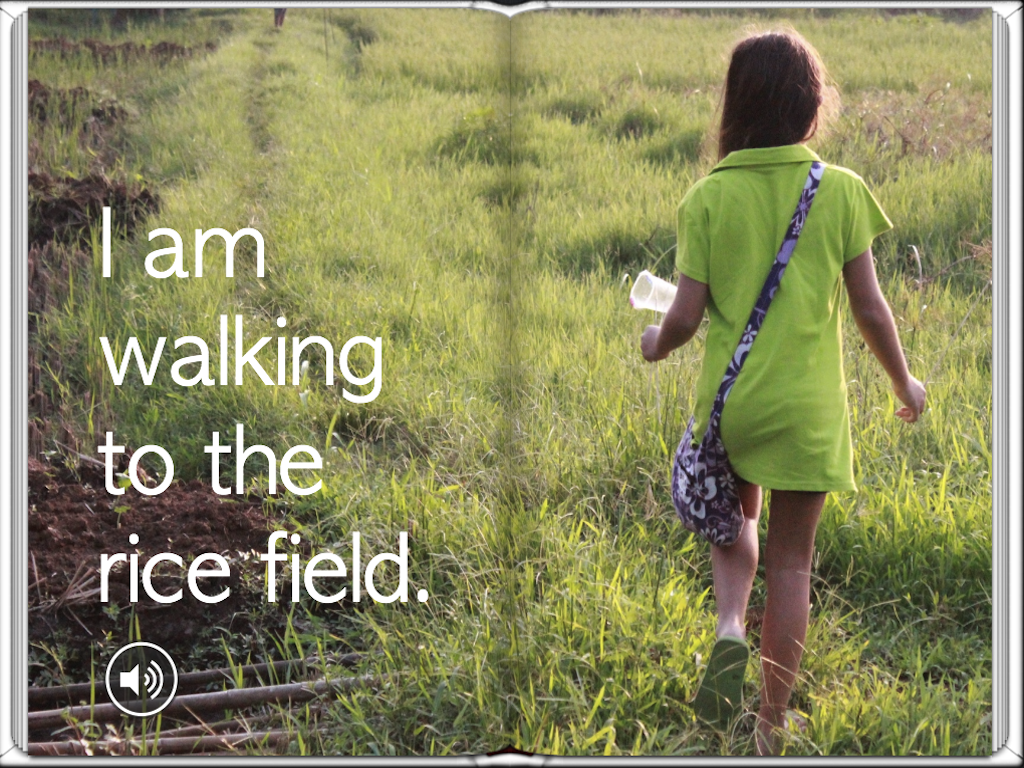
When making a book with children, it's best to keep it simple. Luli and I went for a drive to find a rice field. We found a few but we needed the rice plants to be tall and almost ready for harvest. This is what attracts the dragonflies. We also needed to go late in the day when it is cooler.

I asked Luli to think about what needed to be included in the book. I took the photos so that Luli could concentrate on the story.

3. Choosing the photos. 

I downloaded all the pictures onto my Macbook and Luli chose which ones she wanted to include to tell the story. She then put them into order and we imported them onto my iPad. It is very easy to create picture books directly on the iPad. This allows children to focus more on the story because learning to use the App only takes a few minutes.

4. Book Creator App  

http://itunes.apple.com/us/app/book-creator-for-ipad/id442378070?mt=8
We used the Book Creator app for iPad to make the story. I really like the professional finish that Book Creator produces. Luli was easily able to insert all the pictures into the book and type in the text to go with each page. We decided to use a lot of double page images to really show off the photos.


5. Previewing the book. 

Book Creator allows for an easy preview in the iBooks free app. You just tap the export to iBooks button which automatically opens the iBooks app and opens your new book. After previewing her book, Luli was able to change the order of some of the pages and then preview again by clicking export to iBooks.

6. Recording the book reading.

Luli wanted to include a recording on each page of her reading the book. This is so that her book can be more accessible for younger readers. She did this easily using the Book Creator app by separately recording each page. She was careful to read slowly and clearly.

7. Exporting the finished book.

When the story was complete. Luli added one last page 'About the Author'. I insist on all my students including a page about the author. I think that it is important for the reader to know who wrote the book.


8. Uploading to iTunes

To upload the book to the iBookstore, you need to have the parent create an iTunes account (with a credit card on file) and then an iTunes Connect account. To create a Paid account you need many things such as a US Tax file number, ISBN for each book and also complete tax requirements for the country in which you reside. For students I recommend creating a Free account as it is instant and the iBookstore supply each ISBN for free.

If the child is under age, the parent must be the one creating these accounts as the parent will become the publisher for the child. 

Once the account has been created, any subsequent books can be easily published via that same account.
I had already created an iTunes Connect, so it was easy for me to upload this book to my account.

9. Creating the Publishing Package

It is important to read the instructions that are inside the iTunes Connect account as to what requirements are necessary for your book. There is a limit on images used for publishing to the iBookstore. Each image must be less than 2 million pixels. I needed to reduce the size of all of the photos for Luli's book as I had taken them with a DSLR and they were 10 MB each. To do that you can open each photo on your Macbook using Preview and in the Tools section reduce the size for each image.

In the publishing package you will need to include a category for your book, title, description and target audience. You will also need the exported ePub file, cover image and some sample pages. The sample pages must be 1024 X 768 pixels which is easy enough to re size using Preview on a Mac.

10. Publishing

The iBookstore will run several checks on your book. In my experience, if the images are under 2 million pixels, there is little more to worry about as Book Creator produces a file that is standards compliant with the iBookstore requirements. The iBookstore does check the content which can mean delays in publishing. My daughters book that I uploaded yesterday at 6pm was published only 6 hours later! This depends on your content. Not all books are released that quickly. Some books produced by my students have taken as long as 6 weeks to publish.

Good luck to you who wish to publish. My daughter is so happy today. She is already planning book 2!!

Monday, 28 May 2012

eBook Little Fish Hits 3,000 Downloads!

The success of Little Fish the eBook has been quite staggering. I first made this book with my son, John about a year ago in a printed version. John came home one day from playing to show me a tiny fish that he had caught from a river in the housing complex that we live in. He had so much to tell me about this fish and I encouraged him to take me to the river to show me where he caught it.

I took my iPhone to take photos and John rode his bike. I asked John to tell me the story as we went and I took photos to be later put into the book.

We downloaded the photos onto my Macbook and I put the story together using the program called Keynote. John was able to retell the story easily. We put a sentence for each photo keeping the story simple yet engaging.

Originally we wrote the story in Indonesian as John had only just turned 5 at the time and his English wasn't very fluent. Later I translated it into English. The result was then printed onto paper and I took it to a book binder to put a hard cover on it. John was able to share his book with his class but that's as far as it went.

I have been making books such as these for years here in Indonesia. Simple stories that can be printed up and hard bound for classroom use. It is very difficult to publish a book here in Indonesia. Most publishers will only print 3000 and so therefore will only choose books that have the potential to sell well.

'Little Fish' was well received by John's class and we kept a copy at home on our bookshelf. At that time there were no apps for creating books which allowed the user to have control over the layout. I have always used a simple layout style featuring large photos and simple text. I have preferred to use a landscape page orientation for picture books as I can make the picture really fill the page.

A few months ago I learned about an app on the iPad called Book Creator. I read that it can produce a file that is compliant with the requirements for the iBookstore. I started to use the app in different classes to produce books but I had not thought of publishing any of them. I decided that I needed a test product so I quickly revised 'Little Fish' making it in English only and adding voice recordings to make it more engaging.

I uploaded the book to iTunes Connect and set about getting it published. I have already written about that experience in a post here.

To date the book has been downloaded 3,000 times. I find myself thinking about why ...

It is simple and personal
It has full colour photos that show what happened
It has a voice recording which can help young children learning to read
It has been created by a child with help from his mother - not by a professional publishing house
What this means ...
It is amazing to think that people can now share their stories in this way. My son's book is regularly featured by Apple in the iBookstore alongside professional authors such as Beatrix Potter.  John gets feedback about his book from people on the other side of the world.  


The difference here is this book has gone through the same system that other authors experience - yet it was made by ordinary people.

Production - Editing - Selection (by Apple) - Marketing - Feedback

I know I keep saying this but this is the beginnings of the publishing revolution.


Wednesday, 16 May 2012

Writing for the iBookstore and for the World

It's been a few days since the news broke about my 9 year old student, Keily Setiawan the youngest student to self publish a book in English and Chinese to the Apple iTunes iBookstore. The reaction to the news has been quite amazing.

We held a press conference at my school last Friday, 11th May to announce Keily's book that she had published with my help and under her mother's authority.

To date the news has been posted in many, many different publications both online and print.

Online News - click on the links below
Kompas
Antara News
The Jakarta Post
Jakarta Globe
Bisnis Indonesia
Pikiran Rakyat
Indonesia Headlines
Shang Bao Indonesia
Indonesia Proud

Printed Publications and photos from the press conference:

Created with flickr slideshow.


These articles have been generated about the story so far. I was most excited to see the news posted by Apple in their iTunes News section on their website.


We teach students to write in every school but their audience is usually limited to their teacher, their peers and their parents.

We are seeing the beginnings of a publishing revolution.


Kids can now write for a world wide audience. Now we are putting tools into the students hands that can empower them to share their knowledge, their experiences and their learning in a whole new way.

"I am witnessing my students completely re-think the way they present their learning. It's gone beyond just fulfilling the expectations of a teacher, to how they can present their work so it will engage an audience that they have never met. 

It's more than posting online to a blog. The tools that the students have access to when creating a book for the iPad change the whole way they think about presenting their work. It's beyond words and pictures - it becomes engaging and along with that students need to rethink everything."

Some examples:
 Keily (9 yrs) used a storytelling style to present her book by working hard on her voice recordings to give more life to her story. She wanted to show how well she can speak in Chinese in her book 'Chen Chen Goes to Space'.

"It's different when you know kids in America can access your book. I love to read the comments on the iBookstore about my book" - Keily.
http://itunes.apple.com/us/book/chen-chen-goes-to-space/id512438757?mt=11


John (6 yrs) wanted to tell his fishing story and show everyone how he is now able to read by adding voice recordings to his book 'Little Fish'.

"I want to show how I can read the words now" - John.

John's book has been downloaded over 2,400 times. It was number 2 in free children's books downloads in France last weekend.
http://itunes.apple.com/us/book/little-fish/id505847227?mt=11
Peter (15 yrs - amateur golfer with handicap of 4) wanted to teach his audience about golf by creating interactive images and instructional videos to enhance his 6 months of research on technology in Golf.

"When people saw my iBook - they thought that I had purchased it online. They couldn't believe that I had made it myself. I never thought that I would start my career at aged 15. I now know that I want to be a sports writer." - Peter.

This iBook is in the process of being published.


Nahyeon (17 yrs) reworked a book that she created over a year ago to be more appealing to a younger audience so she added voice narration to her storybook. She had been unable to publish her book as she thought the only way to publish was via printing, an option that was far too expensive for her to persue. After uploading her book to the Apple iTunes iBookstore, Apple approved it and published it after only 24 hours.
http://itunes.apple.com/us/book/threescoops-snowy-adventure/id525959248?mt=11

"I want to reach as many people as I can with my message about the environment through my artwork. It is my dream to become a book illustrator and now that has come true. I am already working hard on my next book" - Nahyeon.


Juan (10 yrs) wanted to teach others about simple machines by including fun quizzes using interactive pictures throughout his book. He wanted people to understand how to identify the simple machines inside everyday machines that are used in our lives by using labels that zoom in on an object in a photo when tapped. He also added 3D images to 'make my book more fun'!

"I want people to have fun when they are reading my iBook. I hope that I can teach them about simple machines and that they have fun learning about it." - Juan.

This iBook has been uploaded - waiting approval from Apple.


Can you see now what it is that I am witnessing?

This is just the beginning ...

Friday, 11 May 2012

My Dream for Education Has Come True

Today was an exciting day for me. My school hosted a press conference to celebrate the publishing of Keily's book 'Chen Chen Goes to Space' to the iBookstore. Keily Setiawan is only nine years old and is in Grade 4. I worked with Keily over several weeks in her Mandarin classes to create an iBook. When we first sent it to the iBookstore it was rejected as the iBookstore doesn't support Chinese script.

We were so disappointed but Keily suggested to make her book bilingual and add English. I had asked Apple Singapore if there were any books in the iBookstore that were in Chinese and found out that the ones that were there were bilingual.

So we revised the book.

Actually it made the book become better. We realize that Keily is probably the first child in the world to publish in English and Chinese. Download Keily's book here.


My school sent out an infobyte (newsletter) to the school community to announce Keily's achievement.

The next day I was approached by a Grade 11 student. Her name is Nahyeon Kim. Nahyeon is a very talented artist. She told me that she made a book last year for her personal project. This book was hand painted entirely by her. Nahyeon's dream is to become a graphic artist. I persuaded her to add voice recordings to each page to make the book more accessible for young children.

She agreed.

On Wednesday we uploaded the book to the iTunes iBookstore. Both students had to ask their parents to come to school to work with me to create iTunes Connect accounts as you need a credit card as a part of the verifying process. Keily is actually under age and Nahyeon doesn't have her own credit card.

Late last night I received the news that Nahyeon's book had been published. It was uploaded on Wednesday and published late Thursday night by Apple. That's the fastest I'd ever heard of getting a book published!!! Download her book, 'Threescoop's Snowy Adventure' here.


Previously Nahyeon had tried to publish her book. It was too expensive to pay for a print run. She had shared the process on her blog - but that is not the same as being officially published to the world in an online bookstore.

Today I presented these books by Keily and Nahyeon and 12 other exemplary books to the press. We had about 30 reporters come to school. Actually I have about 70 books that have been made by students. Today we wanted to show just a short range of books made by students from Kindergarten to Grade 11.

Tonight I sit and reflect upon this week of meeting the press and getting books ready for publishing. I remember it was about 4 years ago that I had an interview with The Jakarta Globe. Read the article here. I had met with the Globe having just presented at the 2008 Indonesian Teachers Congress in Jakarta. My presentation was about the power of digital storytelling. I presented entirely in Indonesian.

My dream back then was to publish digital stories and have them on a website. The point was to share stories. Sadly it didn't really take off. I have always had a passion for helping students to write and I have created many books over the years with my classes. These are great keepsakes but rarely go beyond the class and parents. In my previous school I actually published a book with my Grade 1 but we only printed 500 copies and that was very, very expensive.

In 2008 I became an Apple Distinguished Educator. This changed everything ...

Apple has supported me. The software, training and inspiration that I have been given to grow as an educator had changed the way I teach. It's all about the student voice. I realize now, that this was what I was trying to do back in 2008. I was trying to give students a platform, an opportunity to be heard and to have a greater audience to read their work that went beyond the teacher, the class, their parents and even their school community.

Today I realized that dream ...

My students are no longer writing for the teacher, for their parents or for their school community. Students are able to actually publish their work to the world. Keily now realizes that she has an audience on the other side of the globe. Her work is now alongside professional authors in a high profile online bookstore.

Keily is now an author!

Nahyeon's book that she painstakingly created over a year ago can be downloaded and viewed by people from 32 different countries.

Nahyeon is now an author and very talented book illustrator!

Yes I know that blogging can give you that international audience. But to have your book published in a forum alongside professional authors is something that is quite amazing.

Amazing!

Amazing for me to realize my dream as an educator. This is something that I will continue to build upon.

Thank you Apple 

Sunday, 6 May 2012

iBook 'Little Fish' Ranks Number 41 in US iBookstore

Recently my iBook that I made together with my son has received a lot of attention. The iBook 'Little Fish' was made together with my youngest child, John Tambunan. I made this book using the iPad app called Book Creator. I have been in regular contact with the app creator, Dan Amos via Twitter and he has featured my video about using this app in Chinese language classes as well as the publishing of 'Little Fish' to the iBookstore on his website www.redjumper.net
About a week ago, Dan asked me if he could write a press release about my son's book. I agreed on the provisor that he needed to mention that I helped my son to make this book as he is only 5 and not able to type very well yet. The story was picked up by Cult of Mac in the UK. They wrote a great review here.
Yesterday I logged into my iTunes Connect account to take a look at the download stats for 'Little Fish'. To my amazement I discovered that the book had been downloaded 1,136 times! I tweeted this to Dan and he said that I should check to see if this book had made it into the Free Books for Children's Literature Lists in the iBookstore. Actually I got the Tweet via my iPhone whilst sitting in Jakarta traffic. Dan kindly did a check for me (Dan is in the UK) and he found out that my book was number 38 in the US iBookstore. I was so excited!!! Later I was able to check for myself. By that time my book had dropped to number 41 so I took a screen capture to save the moment.

Monday, 30 April 2012

Student Publishes First Book in English/Chinese to iBookstore

I have been working with a Grade 4 student very closely over the past 2 months. We have been creating a book in Chinese during Chinese language classes. I am a Tech Coach at my school and I was keen to get the iPads being used across the school. I found out about the app Book Creator which allows even very young children to create a talking book directly on the iPad. I started using this app in language classes. It works really well as the student can record their voice reading their own story really easily, directly on the iPad.

I published my first book using this app a few weeks ago with my 5 Year old son. See it here Little Fish
Since then the app creator Dan Amos has added me to his website here. I wrote a blog post about it here.

On Saturday I was really excited to find out that my student, Keily has published the first child-created iBook in English and Chinese to the Apple iBookstore. Get your free copy here Chen Chen Goes to Space

I have been asked by educators how I am able to publish books created by children with the iBookstore. The process is fairly straight forward:

First you need time to work on the story, the plan, the artwork and the voice recordings. After the story is finished you need to share it with others for proof-reading and feedback. So far this is pretty much inline with any kind of story creation.

Next you will need to ask the student's parent to create an iTunes account and an iTunes Producer account. Students under 13 need to have a parent publish their work for them. For the case of Keily, I invited her parents to school so that I could guide them through the process of creating the necessary accounts.

Please Note!!!


To publish with the Apple iBookstore on iTunes, you need to have an iTunes account with a credit card. You will be asked to provide that credit card information even thought this process doesn't cost anything.

Next you will need to create the book package for uploading to iTunes Connect. I created that for my student as you really need to pay attention to the size of the book cover image and sample pages. I used the app Book Creator which produces the book file that is standards compliant with the iBookstore.

I sat down with Keily's parents to help them complete all the information needed in the publishing package.

After we had successfully uploaded the book I taught the parents how to email iTunes Connect to ask about the book and when it would be published.

After a few days we got a message from the iBookstore that the Chinese language is not supported. We were so surprised and worried that all our hard work had been for nothing. We decided to revise the book so that it was in English with Chinese as a bilingual book. The Chinese characters have been put in the book as JPEG so that there would be no problems with the script.


Thankfully this made the book acceptable and we were relieved that it has now been published. 


Monday, 9 April 2012

Marble Roller Coasters - Going Further ...

As I predicted - the students LOVE this project. We began with making roller coasters in Minecraft but there are quite a few things about Minecraft that just don't work in the real world. Now we are on to making Marble Coasters on the walls of the classroom.

Here is an explanation from Science Buddies.org behind how a Roller Coaster works:

Slow and clanking, the string of cars is pulled up to the crest of the tallest point on the roller coaster. One by one, the cars start downhill on the other side, until gravity takes over and the full weight of the train is careening down into curves, twists, and turns. The roller coaster is a great example of conversions between potential energy (stored energy) and kinetic energy (the energy of motion). As the cars are being pulled up to the top of the first hill, they are acquiring potential energy. The chain that pulls them up the hill works against the force of gravity. At the top of the hill, the cars' potential energy is at it's maximum. When the cars start down the other side, this potential energy is converted to kinetic energy. The cars pick up speed as they go downhill. As the cars go through the next uphill section, they slow down. Some of the kinetic energy is now being converted to potential energy, which will be be released when the cars go down the other side.

You've probably noticed that the first hill on the roller coaster is always the highest (unless the coaster is given another "boost" of energy along the way). This is because not all of the potential energy is converted to kinetic energy. Some of the potential energy is "lost" in other energy conversion processes.

You can investigate the conversion of potential energy to kinetic energy with this project. There are as many possible variations to this project as there are twists and turns on a great roller coaster ride, but a good place to start is to see how much initial height you need in order to have your marble successfully navigate a loop in the track.

You'll use the same size loop for each of your tests, but you'll add (or subtract) track before the loop so that you can change the initial height where the marble starts. For each track configuration, you should try at least 10 separate tests with the marble to see whether it can loop the loop or not. You should also measure the slope of each track configuration. An easy way to think about the slope is the expression rise/run (see the illustration below). The rise is the height of the starting point, and the run is the horizontal distance from the starting point to the beginning of the loop.

how to measure the average slope of the track
The illustration above shows how to measure "rise" and "run" in order to calculate the average slope of the track leading in to the loop.

How much height (rise) will be required to successfully navigate a given loop size? A foam roller coaster for marbles is easy to build, so try it for yourself and find out!

Oh oh - I did it again Grade 5 ... my lesson turned in a Maths lesson ...

So you will need to measure the height (rise) and the run (length along the bottom) of your first hill run on your coaster.

I wonder how these numbers will compare? My challenge to you is to make a successful loop de loop.


Sunday, 8 April 2012

5 Year Old Publishes on the iBookstore

My son has published his first story on the iBookstore. This story was his idea based on playing at the local river in our housing complex in Indonesia. John likes to play at the river (with adult supervision) and in this story he tells about catching fish using a plastic cup. My son told me this story and I suggested that we make it into a book. We used the app Book Creator to make the story directly on the iPad. I like that we can stretch the photos so that they either fill one page or go over the page fold slightly to make the layout more interesting.

John is only 5 and is only just beginning to type up words. For this story he came up with the sentences but I typed in the words for him. I took the photos as well.
We began one morning. I walked and he rode his bike to the river. I asked him to stop along the way for photos.

After he had finished I downloaded the photos from my iPhone to my iPad. I worked with John to choose which ones to use to tell the story. The finished book is 50 pages long. John then recorded each page by reading directly on the app.

After we had finished and were happy with the results we took the book to school and presented it to his Kindergarten class for feedback. I was easily able to share the book to 6 iPads. Here is John proudly sharing his book with his class.


We had such a great reaction to this book so I decided to publish it on the iBookstore. I am already a member of iTunes Connect having already published an iBook. I am well aware of how to get a book published.

I uploaded the book and was very happy that there were no errors. I am impressed with this app Book Creator as it is easy to use and produces a format that is inline with the requirements from the iBookstore.

After 2 weeks I sent a message inquiring about this book. It took a couple of days to get an answer which was a standard one telling me that my book needed to pass the content check. After another week had passed I sent another message and then a few days later I sent another message again. I think that there must be a lot of books under consideration in the iBookstore. When I published my first iBook that I made with iBooks Author, the whole process only took 2 weeks. A month passed with this one with very little response.

Finally whilst I was on term break, I got an email telling me that this book 'Little Fish' had been published. My advice to anyone wishing to publish with the iBookstore is to be patient. I'm sure that they get a lot of books to consider. I am currently working with a parent to help them publish a fantastic book created by one of my students.

This book is for free, you can get your copy here Little Fish.


Thursday, 22 March 2012

Simple Machines Inquiry - My Initial Planning

Affordable computers have great potential to stimulate creativity and develop excellent problem-solving skills.

Thinking about my next Unit of Inquiry. This one is all about Machines.


I want to tap into the current craze amongst my Grade 5 students which is Minecraft. I am thinking that I will get the students to create a roller coaster in Minecraft that doesn't use any power rails and the challenge will be to see how many hills the mine cart can travel over with only the using the motion from down the initial inclined plane.

We can measure the height of the slope by counting how many blocks high it is. I would then like to translate this into a real live activity by getting the students to create a marble run in the shared area between the classrooms using a flexible hose and marbles of different weights. We could try to compare the two by making a decision based on a scale that one Minecraft block equals so many centimeters. This is based on the height of our roof which would allow a maximum height of 3.5 M. I'm going to try creating a roller coaster tonight in Minecraft that is 35 blocks high to see how far it gets me.

Given that Minecraft uses a mine cart and the marble run uses a marble we need to scale it down. Perhaps we could compare the height of a mine cart with a marble to get a better break down? I'll leave those decisions for the students.

Here is a great example of what I hope to re-create.


For my second hands-on I would like to start by using Angry Birds online to explore a catapult and then get the students to make their own catapults. We will start by throwing soccer balls of different weights to see how far it will go. This we can then compare to using a catapult.

Here is a You Tube video of what we hope to create.

Actually I am still planning this but I do like to leave certain things open to happen in the moment. I'll certainly post about it when we get started.